

Honey Saxena
Digital Marketing Expert
10 Real Estate Marketing Automation Workflows Every Property Business Should Implement
Published June 23, 2026|14 min read
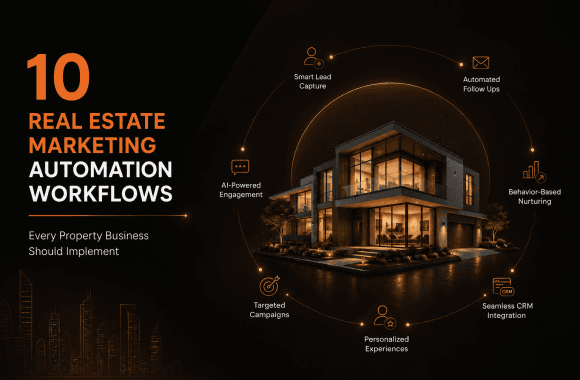
Most property businesses lose deals not because of bad listings, but because of slow follow-up and broken workflows. This guide breaks down 10 real estate marketing automation workflows that cover every stage of your funnel, from the first lead inquiry to the five-year post-sale relationship. You'll learn how to respond to leads in under 90 seconds, qualify prospects with AI, and keep your pipeline moving without your team doing it all manually. Each workflow comes with a clear trigger, action, and outcome so you can build it, not just read about it. If you want predictable pipeline instead of a chaotic inbox, this is where you start.
Real estate marketing automation is the practice of using software to handle repetitive marketing tasks, so your team responds faster, nurtures leads longer, and closes more deals without burning out. The ten workflows below cover every stage of the property marketing funnel, from the first web form to the five-year post-sale relationship. If you're running a property business in 2026 without at least five of these running, you're leaving money on the table every single day.
Here's the honest truth: the gap between a top-performing property operator and an average one isn't budget or market conditions. It's systems. In my work helping 100+ real estate operators across 14+ countries at Noseberry Digitals, I've seen small teams outrun large brokerages simply because they had their automated real estate marketing stack dialed in. According to HubSpot's 2025 Marketing Automation Report, businesses using marketing automation generate 451% more qualified leads than those that don't. In real estate, that number feels very believable.
What Is Real Estate Marketing Automation, and Why Does It Matter?
Real estate marketing automation is a system of connected workflows that trigger the right message, to the right lead, at the right time, without anyone manually pressing send. It matters because property buyers and tenants operate on their own timeline, not yours. They browse at 11pm, revisit listings on a Tuesday afternoon, and abandon forms without explanation. Automation catches all of it.
The core idea is simple: you set up a trigger (a new form submission, a link click, a listing view), attach an action (send an email, assign a task, update a CRM stage), and let the system run. What makes modern marketing automation for real estate different from a basic email scheduler is the intelligence layer sitting on top. Today's tools route leads by intent score, personalize messages by property type, and escalate hot prospects to a human agent in real time.
Without automation, the average property team responds to leads in 47 hours (according to a 2024 MIT study on lead response times). With automation, that response happens in under 90 seconds. That single change can lift your site-visit conversion rate by 3x or more.
How Do You Build a Real Estate Marketing Automation Stack?
You build a real estate marketing automation stack in three layers: a data layer (CRM), a communication layer (email, SMS, WhatsApp), and an intelligence layer (AI scoring, segmentation, reporting). Each layer must talk to the next without data gaps.
Start with your CRM as the single source of truth. Every lead, from every source, flows into it. Your communication tools pull contact data from it. Your AI scoring reads behavior logged inside it. Without a well-configured CRM at the center, every workflow you build will leak. If you haven't already, read our guide on how to automate property enquiries before building any of the workflows below.
The workflows that follow are listed in order of impact, not complexity. Start with Workflow 1. Build one at a time.
Workflow 1: Instant Lead Response and Capture
Why this workflow matters: Leads contacted within 5 minutes are 21 times more likely to convert than those contacted after 30 minutes, according to a Harvard Business Review analysis. Most property teams fail this benchmark every single day.
Set up a trigger: any new lead enters your system from a web form, a paid ad, a property portal, or a WhatsApp inquiry. The workflow fires immediately: an automated SMS and email go out within 60 seconds, a task is created for the assigned agent, and the lead's source, property interest, and entry channel are tagged in the CRM.
What the message says matters as much as the speed. Don't send a generic "Thanks for reaching out." Send something specific: "Hi [Name], thanks for your interest in [Property Name]. Here's the floor plan and pricing sheet you asked about. I'll call you in the next hour." That specificity signals that a real person is paying attention, even if the first message was automated.
What to automate here:
Multi-channel lead capture (web, portals, social ads, WhatsApp, open houses)
Instant SMS + email acknowledgment
Agent task assignment with a 60-minute SLA alert
Source and property-interest tagging in CRM
This is the highest-ROI automation in the stack. If you build nothing else, build this one.
Workflow 2: AI-Powered Lead Qualification and Scoring
Before an agent spends 30 minutes on a phone call, the lead should be pre-qualified. AI qualification is the process of using conversational AI or behavioral scoring to assign a readiness score to every lead, so your agents only talk to people who are actually ready to move.
Behavioral scoring works by tracking what a lead does after that first response. Did they open the pricing sheet three times? Did they view the floor plan of a specific unit? Did they revisit the site from two different devices in one week? Each action adds points to a score. When the score crosses a threshold (say, 60 out of 100), the lead gets escalated to a human agent with a "hot lead" flag.
Conversational AI takes this a step further. A chatbot on your website or WhatsApp channel can ask qualifying questions naturally: "Are you looking to buy, rent, or invest?" "What's your target move-in timeline?" "Do you have financing already in place?" The answers feed directly into the CRM, segmenting the lead automatically.
According to Salesforce's State of Marketing 2025 report, 76% of high-performing marketing teams use AI-powered lead scoring, compared to just 34% of underperforming ones. The gap is widening fast.
Our post on AI in real estate applications goes deeper on how AI scoring models are being built for the property sector. Pair that read with what you set up here.
Workflow 3: Behavioral Drip Nurture Sequences
Most leads are not ready to buy when they first contact you. In luxury residential property, the average consideration cycle runs 6-18 months. In commercial real estate, it's often longer. Behavioral drip sequences are automated email and SMS flows that keep your brand top of mind across that entire window, sending content based on what each lead has shown interest in.
The key word is "behavioral." A generic weekly newsletter is not a nurture sequence. A behavioral sequence fires specific content based on specific actions. A lead who viewed a 2-bedroom apartment gets a "2BHK vs 3BHK: what's right for your family?" email on day 3. A lead who downloaded an investor brochure gets a rental yield comparison on day 7. A lead who went quiet for 30 days gets a re-engagement message on day 31.
Structure a basic nurture sequence like this:
Day 0: Instant acknowledgment + relevant resource (floor plan, brochure, pricing)
Day 2: Educational content (neighborhood guide, school zone data, commute map)
Day 5: Social proof (case study, testimonials, completed project photos)
Day 10: Soft call to action (book a site visit, schedule a call)
Day 21: Market update (price movement, inventory data, new launches)
Day 35: Re-engagement ("Are you still considering [property/area]?")
Day 60: Long-nurture content (investment returns, market forecast)
Behavioral sequences like this consistently lift lead-to-site-visit conversion by 2x-4x compared to manual follow-up. We've seen it across multiple client accounts when we rebuild their digital marketing workflows from scratch.
Workflow 4: Listing Launch and Property Campaign Automation
Every new listing or project launch should trigger a coordinated, multi-channel marketing push without your team manually scheduling each piece. This is where listing launch automation earns its place in the stack.
Set up a trigger: a new property is added to your CRM or listing management system. The workflow fires automatically: an email blast goes to your segmented database (filtered by location preference, budget range, and property type), social media posts are queued, a paid ad audience is updated, and an SMS goes to leads who previously showed interest in that area or configuration.
This workflow does three things well. It eliminates the 24-48 hour delay between a listing going live and your database hearing about it. It ensures messaging is consistent across channels. And it lets you A/B test subject lines, images, and CTAs at scale, learning what resonates with your specific audience over time.
For teams running 10 or more listings per month, this workflow alone can save 15-20 hours of manual marketing work per week.
Workflow 5: Open House and Site Visit Follow-Up Automation
What should happen after every site visit? Within 15 minutes of a visit ending, the lead should receive a personalized follow-up that references the specific property they saw, includes the materials they need to make a decision, and opens a conversation.
Most teams do this manually, which means it happens inconsistently. Some leads get a call the next day. Some get nothing. Automation fixes the inconsistency.
Set up a trigger: a site visit is logged as "completed" in the CRM. The workflow fires: a thank-you message goes out immediately (SMS or WhatsApp works best here for open rates), a follow-up email follows 2 hours later with the property fact sheet and payment plan, and a task is created for the agent to make a personal call within 24 hours.
The automated touchpoints handle the logistics. The agent call handles the relationship. That division of labor is exactly what automated real estate marketing is designed to create.
A 2025 survey by the National Association of Realtors found that 73% of buyers said "speed of communication" was one of their top three criteria when choosing an agent. This workflow directly addresses that expectation.
Workflow 6: CRM-Integrated Email and SMS Campaign Sequences
What is a CRM-integrated marketing campaign? It's a campaign where every send is informed by live CRM data: lead stage, previous interactions, property interest, and agent assignment. It's the opposite of blasting your whole database with the same message every month.
CRM integration means your email tool knows that Lead A is in the "site visit booked" stage, Lead B is in "decision pending," and Lead C hasn't opened an email in 45 days. Each of those states triggers a different message. Lead A gets confirmation and preparation details. Lead B gets a time-sensitive incentive. Lead C gets a re-engagement sequence.
This level of segmentation is only possible when your CRM is the engine driving your communication stack. Tools like HubSpot, Zoho, or a custom-built real estate CRM all support this kind of integration when configured properly.
The payoff is significant. Segmented email campaigns generate 760% more revenue than non-segmented campaigns, according to a Campaign Monitor benchmark report. In property, where a single conversion is worth tens of thousands in commission or margin, even a modest lift in email conversion pays for the entire automation stack.
Workflow 7: Social Media and Content Publishing Automation
Consistent social media presence builds brand awareness, keeps your listings visible, and drives organic traffic back to your website. But posting manually every day across Instagram, Facebook, LinkedIn, and Google Business Profile is not a realistic expectation for most property teams.
Content automation solves this by connecting your listing database, blog calendar, and social scheduling tool into one publishing workflow. When a new listing goes live, a property card is auto-generated and queued for Instagram and Facebook. When a new blog post publishes on your site, it's automatically shared to LinkedIn. When a project milestone is reached (50% sold, show apartment open, handover announced), a pre-built post template fires automatically.
The goal isn't to remove the human voice from your social channels. It's to handle the routine publishing so your team can focus on community engagement, responding to comments, and creating the high-value content that actually builds relationships. Think of it as the difference between maintenance tasks and creative tasks. Automate the first. Own the second.
Combine this with your SEO and AEO strategy so your content reaches not just social feeds but also search engines and AI answer engines.
Workflow 8: Post-Sale and Referral Nurture Automation
The transaction closing is not the end of the relationship. It's the beginning of the most valuable segment in your database: past clients. Past clients refer new clients. Past clients come back for their next purchase or investment. Past clients leave reviews that influence future buyers.
Post-sale automation keeps that relationship warm without requiring your agents to manually remember every anniversary and milestone.
Set up a trigger: a deal closes and the lead moves to "client" status in the CRM. The workflow fires a long-term nurture sequence:
Day 7 after closing: "Settling in?" check-in message
Day 30: "Here's what's happening in your neighborhood" local market update
Day 90: Request for a Google or property portal review
6 months: Equity update or rental yield report (for investors)
1 year: Property anniversary message with a market valuation update
18 months: Referral ask (warm, personal, not transactional)
This sequence costs almost nothing to run once built. The referral rate from nurtured past clients is typically 3x-5x higher than from cold lead channels, based on data from multiple operator audits our team has conducted. That's a pipeline source you simply can't afford to neglect.
Workflow 9: Review and Reputation Management Automation
Online reviews directly affect whether new leads trust you before they even contact you. Yet most property businesses have an inconsistent review collection process: sometimes an agent asks, sometimes they forget, and negative reviews sit unanswered for weeks.
Reputation automation fixes all three problems. Set a trigger: a client reaches a positive milestone (site visit completed, booking confirmed, keys handed over). The workflow sends a personalized review request via SMS or email with a direct link to your Google Business Profile or property portal listing. If they don't respond in 3 days, a gentle reminder fires. If a negative review is posted anywhere, the system alerts your team immediately so a human can respond within 24 hours.
According to BrightLocal's 2025 Local Consumer Review Survey, 87% of consumers read online reviews before making a purchasing decision for local services. In property, where trust is the single biggest purchase barrier, this number is likely even higher.
Automating review collection alone typically increases review volume by 4x-6x. More reviews mean higher star ratings over time, and higher ratings mean lower cost per lead from organic and local search.
Workflow 10: Performance Reporting and Pipeline Analytics Automation
Most property businesses make marketing decisions based on gut feel or lagging data. Automated reporting fixes that by delivering live pipeline and campaign performance data to the people who need it, when they need it, without anyone manually building a dashboard each Monday morning.
Set up weekly automated reports that pull data from your CRM, ad platforms, email tool, and website analytics into a single view. Key metrics to track: leads by source, cost per lead by channel, lead-to-site-visit conversion rate, site-visit-to-booking conversion rate, and total pipeline value by stage.
When every decision-maker in your business can see these numbers every week, budget allocation gets sharper, underperforming channels get cut faster, and winning campaigns get scaled with confidence. This is what real estate performance marketing looks like at its operational best.
For teams running paid acquisition alongside organic, pair this with our Google Ads guide for real estate lead generation to ensure your reporting captures the full funnel, from ad click to closed deal.
Automated Real Estate Marketing vs. Manual Marketing: Which Wins?
Here's a direct comparison of what teams with and without marketing automation typically experience:
Metric | Manual Marketing | Automated Real Estate Marketing |
|---|---|---|
Lead response time | 24-47 hours average | Under 90 seconds |
Lead follow-up consistency | Depends on individual agent | 100% consistent, every time |
Nurture sequence length | 1-3 manual touchpoints | 7-12 automated touchpoints over 60+ days |
Monthly leads nurtured | Limited by team capacity | Unlimited, scales with volume |
Review collection rate | Ad hoc, low volume | Systematic, 4x-6x higher volume |
Reporting frequency | Monthly (if at all) | Weekly, automated |
Agent time on admin | 40-50% of working day | Under 15% |
Cost per qualified lead | High, variable | Lower, predictable over time |
The data tells a consistent story. Automated real estate marketing doesn't replace your agents. It makes them dramatically more productive by clearing the administrative work from their day.
What Tools Power Real Estate Marketing Automation?
You don't need a dozen different tools. You need the right three to five, properly integrated. Here's what a practical stack looks like:
CRM (core layer): HubSpot, Zoho, kvCORE, or a custom-built real estate CRM. This is non-negotiable.
Email and SMS: ActiveCampaign, Klaviyo, or any platform with behavioral trigger support.
AI chatbot and qualification: Drift, Tidio, or a custom AI assistant built for your workflows.
Social media scheduling: Buffer, Hootsuite, or a tool natively integrated with your CRM.
Reporting and analytics: Google Looker Studio connected to your CRM, ad platforms, and GA4.
The tool you choose matters less than how well you configure it. A basic HubSpot setup used consistently outperforms an enterprise platform that nobody has properly mapped to your sales process.
When choosing, also consider whether the platform connects to your existing real estate website. Lead capture from your site should flow directly into your CRM without any manual export step. That single integration eliminates the most common leak in most property business marketing funnels.
Our case studies show how we've built these stacks for operators ranging from independent brokerages to multi-country co-living platforms.
Conclusion
Real estate marketing automation is not a luxury for large teams. It's the infrastructure every property business needs to compete in a market where speed, consistency, and personalization all happen at once. The ten workflows covered in this guide address every stage of your funnel: lead capture, qualification, nurture, listing launch, site visit follow-up, CRM-driven campaigns, social publishing, post-sale relationship building, reputation management, and performance reporting.
The key takeaway is this: each workflow you automate gives your team back time they currently spend on admin, and reinvests that time into the human conversations that actually close deals.
Start with Workflow 1. Get leads responding within 60 seconds. Then build Workflow 2 and add AI qualification. Each layer you add compounds the one before it.
If you're not sure where to begin, or your current stack has gaps you can't diagnose alone, the team at Noseberry Digitals has spent a decade building exactly these systems for property operators. We've done it across 14+ countries, for portfolios ranging from 50 units to 5,000. We know where the leaks are, and we know how to close them.
Book a strategy call with us at noseberrydigitals.com and we'll map your current workflow gaps in the first 30 minutes, at no cost. No slides. No pitch deck. Just a focused conversation about your pipeline.
- Real estate marketing automation is the use of software workflows to handle lead capture, nurture, follow-up, and reporting without manual intervention.
- Leads contacted within 5 minutes are 21x more likely to convert; automation makes sub-60-second response the standard, not the exception.
- The 10 workflows span the full funnel: from instant lead response to post-sale referral nurture and automated performance reporting.
- AI-powered lead scoring ensures agents spend time only on leads that are actually ready to move, not every cold inquiry.
- Behavioral drip sequences lift lead-to-site-visit conversion by 2x-4x compared to manual or no follow-up.
- CRM-integrated campaigns using segmentation generate up to 760% more revenue than unsegmented email blasts.
- Post-sale automation turns past clients into a referral channel that consistently outperforms cold lead sources.
- Automated review collection increases review volume by 4x-6x, improving trust signals for all future leads.
- A practical stack requires just 3-5 well-integrated tools: CRM, email/SMS platform, AI chatbot, social scheduler, and analytics.
- Small agencies see the same or higher ROI from automation as large teams, because it multiplies individual capacity directly.
Why trust Noseberry
Our content is written by practicing real-estate and PropTech professionals, fact-checked by a dedicated editorial team, and reviewed against the latest industry data before publication.
- 10+ years of industry expertise
- All facts independently verified
- No sponsored rankings in guides
- Updated when the industry changes
Have Any Questions?
What is real estate marketing automation?
Real estate marketing automation is the use of software workflows to handle repetitive property marketing tasks automatically, including lead capture, follow-up, email nurturing, social media posting, and performance reporting. It is valuable because it ensures no lead goes unanswered, every touchpoint happens on schedule, and your team spends time on high-value conversations instead of manual admin work.
What are the best real estate marketing automation workflows to start with?
The best workflows to start with are instant lead response (fires within 60 seconds of a form submission), behavioral drip nurture (keeps leads engaged over 60 or more days), and AI-powered lead scoring (prioritizes your hottest prospects for agent follow-up). These three workflows together address the most common points where property businesses lose leads, and they deliver measurable ROI within the first 30-90 days of implementation.
How does marketing automation for real estate improve lead conversion?
Marketing automation for real estate improves lead conversion by eliminating the two biggest conversion killers: slow response times and inconsistent follow-up. Studies show leads contacted within 5 minutes are 21 times more likely to convert than those contacted after 30 minutes. Automation ensures every lead gets an immediate response and stays in a nurture sequence for months, regardless of how busy your team is.
How much does real estate marketing automation cost?
Real estate marketing automation costs range from $50/month for a basic CRM and email tool setup to $500-$2,000/month for a fully integrated stack with AI qualification, multi-channel communication, and custom reporting. The ROI calculus is straightforward: if one additional closed deal per month is worth $5,000-$50,000 in revenue, a $500/month automation stack pays for itself many times over.
What is the difference between automated real estate marketing and a CRM?
A CRM (Customer Relationship Management) system stores and manages your lead and client data. Automated real estate marketing uses that data to trigger actions: sending emails, assigning tasks, updating lead stages, and routing hot leads to agents. The CRM is the database; marketing automation is the engine that puts that database to work. You need both, connected and configured to talk to each other.
Can small real estate agencies use marketing automation?
Yes, small real estate agencies can use marketing automation effectively, and often see a higher relative impact than larger teams. A solo agent or two-person team using automation can handle the same lead volume as a five-person manual team. Tools like HubSpot's free CRM, Zapier integrations, and basic email platforms give small agencies access to the same workflow logic that enterprise brokerages pay significantly more for.
Which real estate marketing automation tools are best in 2026?
The strongest tools in 2026 for marketing automation for real estate include HubSpot (CRM and email automation), kvCORE (designed specifically for real estate teams), ActiveCampaign (behavioral email sequences), Tidio or Drift (AI chat and qualification), and Google Looker Studio (automated reporting). The right choice depends on your team size, existing tech stack, and whether you need a real estate-specific platform or a customizable general tool.
How do I measure the ROI of real estate marketing automation?
Measure the ROI of real estate marketing automation by tracking five metrics before and after implementation: lead response time, lead-to-site-visit conversion rate, site-visit-to-booking rate, total leads nurtured per month, and cost per qualified lead. Divide the revenue from incremental conversions by the cost of your automation tools and setup. Most operators see a positive ROI within 60-90 days when the workflows are correctly configured.
Why is my real estate marketing automation not working?
Real estate marketing automation often underperforms because of dirty CRM data, poorly segmented audiences, generic message copy, or broken integrations between tools. If your leads are not responding, check three things first: are your messages personalized to the specific property and lead stage, is your CRM receiving leads from all sources without manual import, and is your lead scoring actually escalating hot leads to a human agent in real time? Fix those three first before changing your tools.
Should I build custom real estate marketing automation or use an off-the-shelf tool?
You should start with an off-the-shelf tool and customize it before considering a fully bespoke build. Most property businesses find that a properly configured HubSpot, Zoho, or kvCORE implementation covers 80-90% of their workflow needs without custom development. Custom builds make sense when you have a unique sales process, multi-brand architecture, or complex integrations with proprietary listing or property management platforms that off-the-shelf tools can't handle natively.
Related insights
 Real Estate
What should a PMS do for small-scale property managers?
The ideal PMS for a small-scale property manager (typically 10 to 500 units) should do ten things well: capture every rent payment automatically, log every maintenance ticket with photo evidence and vendor dispatch, hold every tenant lease and document in one searchable place, generate owner and investor statements in one click, run automated rent reminders and late-fee escalation, screen tenants with credit and eviction history, sync with the operator's accounting stack (QuickBooks, Xero), work on mobile so field checks and unit walks happen on a phone, integrate with a website for listing marketing and online applications, and produce broker-visible dashboards that let the manager see occupancy, delinquency, and cash flow at a glance. AppFolio Property Manager Core, Buildium, DoorLoop, Rentec Direct, and Hemlane are the platforms most adopted at this scale in 2026, at $1.40 to $4 per unit per month. This post covers what the ideal PMS should do, which platforms actually deliver it, and how to pick without overpaying.
August 22, 2026 Real Estate
Which AI tools work best for real estate developers in 2026?
The best AI tools for real estate developers in 2026 fall into eight categories that map to the developer lifecycle: land sourcing and site selection (Cherre, Reonomy, HouseCanary, LandGate), feasibility and financial modelling (Northspyre, TestFit, custom Excel plus GPT), design and architectural planning (Autodesk Forma, Higharc, Cove.tool, Snaptrude), construction management and progress tracking (Procore AI, Autodesk Construction Cloud, Buildots, Doxel, OpenSpace), pre-launch marketing and renders (Restb.ai, MidJourney, Adobe Firefly), off-plan sales CRM (Salesforce, HubSpot, Follow Up Boss, Rechat), ESG and net-zero analytics (Measurabl, Enertiv, Aquicore), and handover to operations (BIM AI, tenant portal AI). Used well, they cut construction cost 10 to 20 percent, compress design cycles 30 to 50 percent, and lift off-plan sales conversion 20 to 40 percent. Used badly, they burn subscription budget and produce plans that do not build. This post walks through each category, which tools actually work, and how to sequence adoption.
August 22, 2026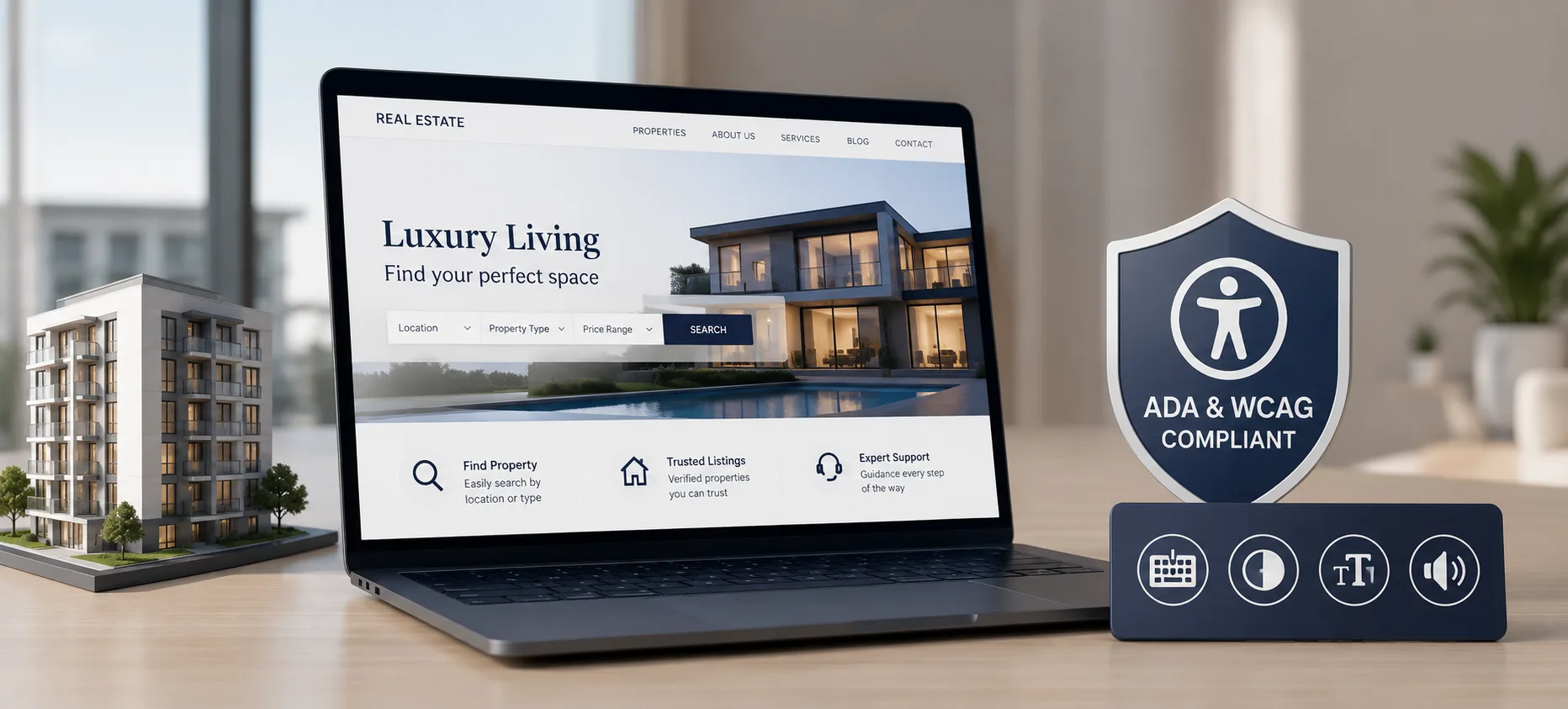 Real Estate
ADA & WCAG Accessibility Compliance for Real Estate Websites: What Operators Must Fix Before They Get Sued
This blog breaks down ADA and WCAG accessibility compliance for real estate websites, focused on what actually creates legal exposure. It explains why WCAG 2.1 Level AA has become the practical legal standard even without a formal Title III regulation for private businesses. It walks through the six accessibility failures responsible for 96% of all detected errors across the web, using real listing-page examples. It also warns against relying on accessibility overlay widgets, citing the FTC's 2025 action against accessiBe over deceptive compliance claims. The piece closes with a step-by-step audit process, an in-house versus compliance-partner comparison, and a 10-question FAQ section.
August 20, 2026
Ready to book a 30-minute strategy call?
We'll map the right digital moves for your real estate business, no pitch deck, no commitment.